AI Anime Video Upscaler: Enhance to 4K & 8K
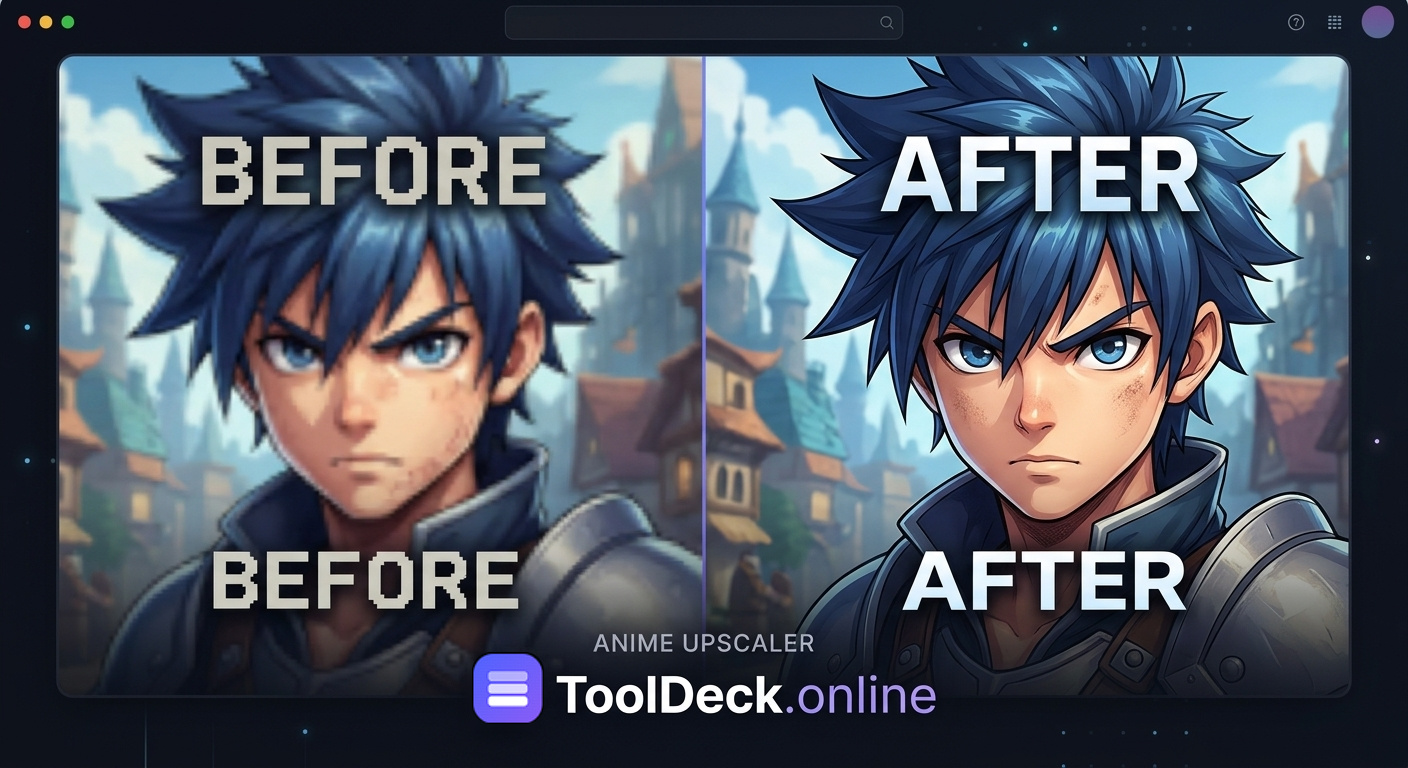
Automatically upscale your favorite anime video to 4K or 8K instantly. Powered by the Anime4K neural network, this tool sharpens lines, removes compression artifacts, and increases video quality for old blurry episodes. Runs 100% in your browser. No uploads, no watermarks.
- Anime4K AI Engine
- GPU Accelerated
- 4K & 8K Output
- 100% Private
⚠️ Performance Warning
- If you don't have a graphics card (GPU), rendering will be slow. A GPU finishes short clips in seconds, a CPU can take several minutes.
- Please upload large files (close to 300 MB) one by one or in very small batches.
- Do not upscale 4K resolution for all 10 files at once. Please try batches of 2 to 5 files for 4K.
- Processing speed depends heavily on your GPU, CPU, and system memory.
- Mobile devices will be significantly slower than laptops and desktop PCs.
- 100% Secure
- Anime4K AI
- No Upload
- No Storage
- No Watermark
Why use Anime4K for upscaling?
Standard upscalers (like bilinear or bicubic scaling built into video editors) simply stretch the pixels, resulting in a blurry, soft image. AI upscalers like Topaz or ESRGAN attempt to "guess" the missing details, which often results in smooth, plastic-looking faces or weird artifacts on text.
Anime4K is different. It is a machine learning algorithm built specifically to recognize the unique characteristics of anime: hard outlines, flat color regions, and specific shading gradients. It doesn't try to hallucinate real-world details; instead, it perfectly reconstructs the sharp lines and solid colors that make anime look great on modern high-resolution screens. Perfect for anime edits and music videos.
Upscaling Math: What does 2x or 3x mean?
When you automatically upscale a video, you are multiplying the pixel dimensions. Here is how the multipliers translate to standard resolutions.
| Original Video | Multiplier | Resulting Resolution |
|---|---|---|
| 720p (1280x720) | 2x | 1440p (2560x1440) |
| 720p (1280x720) | 3x | 4K (3840x2160) |
| 1080p (1920x1080) | 2x | 4K (3840x2160) |
| 480p (854x480) | 4x | 1080p (1920x1080) |
Why this tool is the best choice
Everything runs on your device. Faster, safer and free from the usual online-upscaler trade-offs.
| Feature | TToolDeck | Typical Upscalers |
|---|---|---|
| Built specifically for anime | Yes | No |
| Preserves line art perfectly | Yes | Partial |
| Removes compression artifacts | Yes | Partial |
| Hardware accelerated (WebGPU) | Yes | No |
| 100% offline / client-side | Yes | No |
| No sign-up or email required | Yes | Yes |
| Free with no daily limits | Yes | Partial |
All video tools
Free browser-based video tools. Nothing uploaded, ever.
How to upscale anime
- 1
Upload your video
Choose a file or drag one onto the page. Supports MP4, MOV, and WebM up to 300MB.
- 2
Pick output size
Automatically upscale by factor (2x, 3x, 4x) or pick a target resolution like 4K or 8K.
- 3
Download the result
The Anime4K engine rebuilds each frame on your GPU and hands you a clean MP4. Share and download instantly. No watermark.
Everything you get for free
Anime4K Engine
Anime4K is a state-of-the-art, open-source algorithm designed specifically for anime. Unlike generic upscalers, it recognizes hard edges and flat colors, redrawing lines razor-sharp.
Fixes 480p & 720p
Old anime DVDs or early digital releases look blurry on modern 4K screens. Our tool breathes new life into 480p or 720p clips, scaling them up to crisp 1080p or 4K.
No AI Hallucinations
Generic AI tools often make anime faces look "plastic" or smooth out the shading. Anime4K avoids this by focusing purely on edge reconstruction and line sharpening.
GPU Accelerated
Runs via WebGPU in your browser, using your device's graphics card to process frames at lightning speed. No server uploads or waiting in queues.
Batch Processing
Upscale multiple clips at once. Just drop up to 10 videos into the tool, choose your resolution, and let it run automatically.
100% Private
Your video is decoded, upscaled, and re-encoded entirely in your browser tab. Nothing is sent to a server. Perfect for unreleased clips or private projects.
What people use it for
Remastering Old Anime
Take classic 480p episodes from the 90s or early 2000s and upscale them to 1080p so they look sharp on modern monitors and TVs.
Fixing Stream Rips
Streaming sites often compress anime heavily, causing ugly "blocky" artifacts. Anime4K smooths out the blocks and restores sharp outlines.
Anime Edits & Music Videos
If you are making anime edits, music videos, or AMVs and need higher resolution clips to avoid pixelation when zooming or adding effects.
Perfect 4K Uploads
Enhance your own low-res animated clips or GIFs to perfect 4K or 8K for YouTube, TikTok, or social media share and download.
Supported Formats
Our tool supports all major video formats, ensuring your files work without conversion issues. You can upload video in MP4, MOV, and WebM formats. Whether you are working with an MP4 ripped from a DVD, a MOV file from a Mac, or a WebM downloaded from the web, the tool handles it automatically. For the best results, we recommend uploading MP4 or MOV formats. After the process, you can download the enhanced 4K video directly.
Questions people ask
What is the Anime4K engine?
Anime4K is an open-source, state-of-the-art video upscaling algorithm designed specifically for anime. Unlike generic upscalers, it intelligently recognizes hard edges and flat colors typical of anime, redrawing the lines to be razor-sharp without introducing the "painterly" AI hallucinations found in other tools.
Can I upscale old 480p anime to 1080p?
Yes! Old anime DVDs or early digital releases often look blurry on modern 4K screens. Our tool is perfect for breathing new life into 480p or 720p anime clips by scaling them up to crisp 1080p, perfect 4k, or even 8k anime.
Is this better than waifu2x?
Waifu2x is excellent for single images (like fan art). For video, Anime4K is vastly superior because it is designed to run in real-time on your GPU. It processes video frames incredibly fast while maintaining temporal consistency, avoiding the "flickering" that plagues image-based AI tools applied to video.
Does it remove compression artifacts?
Yes. The neural network actively suppresses macroblocking and ringing artifacts caused by heavy video compression (like on old fansubs or streaming sites), drastically increasing video quality.
Is my video uploaded?
No. This tool runs entirely on your device using WebGPU. Your anime files are never sent to a server. You do not even need to upload video to a cloud. This is 100% private and secure.
How does 2x upscale get 720p to 1440p?
720p resolution is 1280x720 pixels. A 2x multiplier doubles both width and height. 1280 x 2 = 2560, and 720 x 2 = 1440. This results in 2560x1440, which is officially known as 1440p or 2K resolution.
What does 720p upscaled multiplier 3x become?
A 3x upscale multiplies the dimensions by 3. 1280 x 3 = 3840, and 720 x 3 = 2160. This results in 3840x2160, which is exactly 4K Ultra HD resolution.
What formats are supported?
The tool supports MP4, MOV, WebM, and even older 3GP formats. You can also easily upload video and convert it to MP4 for easy share and download.
What are the limits?
To prevent your browser from crashing, we limit files to 300MB and 3 minutes per video. You can process up to 10 videos in a batch for automatic anime enhancement.
Does it work on iPhone and Android?
Yes, in modern mobile browsers. However, mobile devices often lack WebGPU support, meaning they will fall back to the CPU path, which is much slower. For anything over 30 seconds, use a desktop for the fastest times.
Your anime stays on your device
There is no upload step and no account. The upscaling is done by your browser using your own graphics card, and the finished file is saved straight to your downloads. Read how we keep it private.