Beat ATS Bots: Resume OCR Guide to Get Interviews (2026)
Applying to hundreds of jobs but getting zero callbacks? Your resume is likely rejected by ATS bots. Learn how to bypass them using OCR & PDF tools — free.
You spent hours tailoring your resume. You hit submit on LinkedIn. And then... silence. Not even a rejection email. Just an automated message three weeks later saying the position has been filled.
Welcome to the "Resume Black Hole." When you apply through a corporate job portal (Workday, Taleo, Greenhouse), your resume is instantly parsed by an Applicant Tracking System (ATS).
The ATS is not a human. It is a robot that scrapes your PDF, converts it to plain text, and looks for keywords. If the robot cannot read your resume, you are auto-rejected.
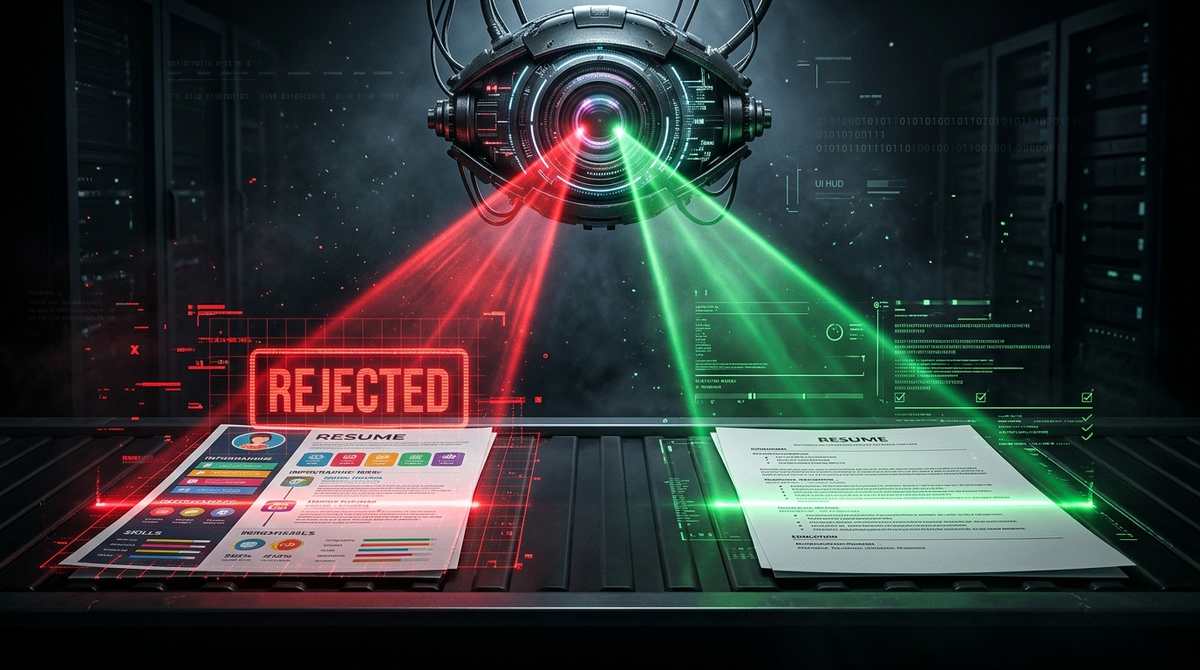
Why ATS bots reject your resume
- It is a scanned image or image-heavy. If you exported your resume from Canva as a JPG or a heavily designed PDF, the ATS sees a blank page. It cannot read the text because it is pixels, not code.
- Columns and tables. Many older ATS systems read left-to-right, top-to-bottom. If you have two columns, the text gets jumbled together into an unreadable mess.
- Missing keywords. If the job description says "React.js" and your resume says "ReactJS," the ATS might skip you.
The Fix: How to check if your resume is ATS-friendly
Before you apply to another job, you need to see exactly what the robot sees. Grab a screenshot of your resume or a PDF copy, and run it through our Image to Text (OCR) tool.
The OCR engine will read the image and extract the text. If the extracted text is a jumbled mess of letters, or completely blank, the ATS will reject you. If the text comes out clean, you are safe.
See exactly what the ATS robot sees when it reads your PDF.
Test Your ResumeStep 2: Convert to an editable format
If your resume failed the test, you need to rebuild it. If your resume is stuck in a complex PDF format, use our PDF to Word converter. It extracts the text and structure into a clean, editable `.docx` file.
Once in Word, remove all tables, text boxes, and columns. Stick to a standard single-column layout. The simpler it is, the better the ATS can read it.
Turn your locked PDF into an editable Word document.
Convert PDF to WordStep 3: Export a clean, readable PDF
When you are done editing, export it back to a PDF using our Word to PDF tool. Make sure the text is selectable (highlight it with your mouse). If you can highlight the text, the ATS can read it.
Create a clean, text-based PDF that ATS bots love.
Convert Word to PDFHow to inject keywords without sounding like a robot
You need to match the keywords in the job description, but you don't want your resume to read like a dictionary. Use the STAR method (Situation, Task, Action, Result) to weave them in naturally.
For example, instead of writing "Skills: React, Node.js, AWS," write: "Developed a full-stack web application using React and Node.js, deployed on AWS, which reduced load times by 40%." This contains the exact keywords (React, Node.js, AWS) but is a much stronger, human-readable bullet point.
Run your final resume through our PDF to Word and Word to PDF tools one last time. This forces the document to rebuild its internal text layer, ensuring the ATS can parse every single keyword you worked so hard to include.
Tools mentioned in this article
Frequently asked
What is an ATS?
Applicant Tracking System. It is software used by HR departments to filter job applications before a human reads them.
Can an ATS read a PDF?
Yes, but only if the PDF contains actual text code. If the PDF is a scanned image or a flattened graphic (like a Canva export), the ATS reads it as a blank page.
How do I know if my resume is readable?
Open your PDF, press Ctrl+A (select all), and copy-paste the text into Notepad. If the text appears, it is readable. If it is blank or jumbled, you need to fix it.