Make Viral TikTok Videos in 2026: Upscale & Compress Guide
TikTok suppresses low-res videos. Learn how to upscale phone footage to 1080p, crop to 9:16, and compress to avoid throttling — free & private in seconds.
You have the perfect hook, the trending audio, and great lighting. But your TikTok video plateaus at 200 views. What went wrong? You spent hours editing the timing, adding captions, and picking the right thumbnail.
In 2026, the TikTok algorithm is brutally efficient. It tests your video on a small batch of users. If they swipe away in the first 1.5 seconds, the video is killed. One of the biggest reasons people swipe away is **low video quality**.
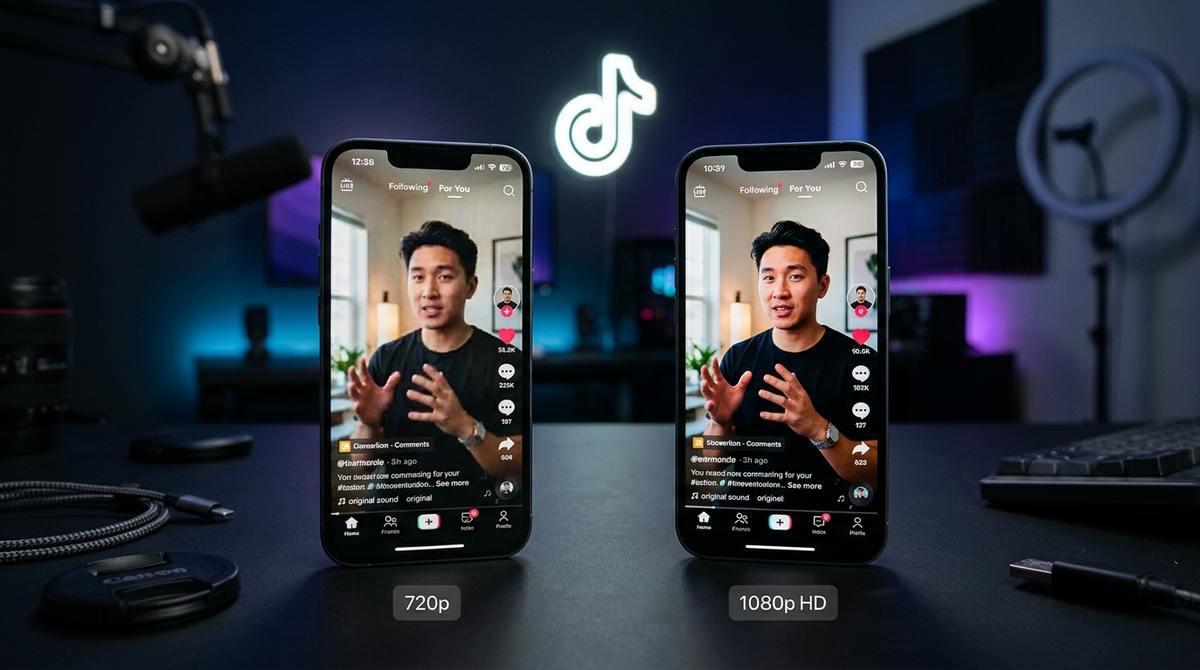
If you record on an older phone, download a video from a stock site, or reuse a clip from another app, the resolution is likely 720p or lower. TikTok heavily compresses uploads, and 720p footage turns into a blocky, pixelated mess on modern OLED screens.
Step 1: Upscale to 1080p (or 4K)
You do not need a $5,000 Sony camera. You just need to upscale the footage you already have. Our Free Video Upscaler uses the WebGPU API to run an AI neural network directly on your laptop's graphics card.
Drop your 720p clip into the tool. Select the **1080p** or **2x** preset. The AI will analyze the edges of your subjects, sharpen the details, and remove compression artifacts. It rebuilds the missing pixels so the final video looks like it was shot on a flagship phone.
Make your phone footage look like a 4K cinema camera.
Upscale Your VideoStep 2: Format it perfectly for 9:16
TikTok is a vertical platform. If you upload a horizontal 16:9 video, there will be massive black bars at the top and bottom. This wastes screen real estate and tells the algorithm your video was repurposed from YouTube.
Use our Video to Reel tool. It automatically crops and reframes your horizontal video into the perfect 9:16 vertical format. The AI tracks the subject in the center, ensuring the action stays in frame.
Crop horizontal videos to vertical without losing the subject.
Convert to 9:16 ReelStep 3: Compress before uploading
Here is a counter-intuitive fact: uploading a massive 4K, 100MB file to TikTok can actually hurt your reach. If the file size is too large, the upload might fail, or TikTok's servers will compress it so aggressively that it looks terrible.
Use our Video Compressor to bring the file size down to under 20MB (usually by adjusting the CRF or bitrate). By compressing it yourself, you control the quality. You stop TikTok from butchering your video with their automated compression.
Shrink file size without losing the sharp 1080p quality.
Compress VideoThe 1.5-second rule: Lighting and color grading
Upscaling resolution is only half the battle. The TikTok algorithm also heavily weights whether your video looks visually appealing. Before you even upscale, ensure your original clip is well-lit. Natural window light is always better than the harsh flash on your phone.
Once you run your clip through the Video Upscaler, the AI will automatically sharpen the edges. But if the colors look dull, use your phone's built-in editor to bump up the contrast and saturation slightly before uploading. High-contrast, colorful videos stop the scroll.
- Keep your face in the top-center of the frame (TikTok UI covers the bottom).
- Use captions. 85% of TikTok users watch with the sound off.
- Upload as a .mp4 file. It is the most universally supported format for the TikTok algorithm.
Tools mentioned in this article
Frequently asked
Does TikTok lower the quality of videos?
Yes. TikTok heavily compresses every video uploaded to save server space. If you upload a low-quality video, their compression makes it worse. If you upload a sharp 1080p video, it survives the compression much better.
What resolution should I upload to TikTok?
Always upload at 1080x1920 (1080p). While TikTok supports 4K, 1080p is the native screen resolution of most phones and prevents the app from aggressively downscaling your video.
Does the Video Upscaler remove watermarks?
It does not remove TikTok watermarks, but it will sharpen the rest of the video. It is best to use clips before they are watermarked.